


Introduction
Lag in games happens when the game does not respond in real time to player input. This can be caused by device hardware, internet connection, game settings, or background processes. Lag affects movement, aiming, and overall gameplay control.
This article explains how to reduce lag in games across mobile and PC systems using practical steps and system adjustments.
What Is Lag in Games
Lag refers to delay between input and response in a game.
Types of lag:
- Network lag
- Frame rate lag
- Input delay
- Loading lag
Each type has different causes and solutions.
Causes of Lag in Games
Low Device Performance
Games require CPU, GPU, and RAM resources.
High Graphics Settings
High settings overload system resources.
Background Applications
Other apps use system memory and processing power.
Weak Internet Connection
Online games depend on stable connection.
Storage Issues
Full or slow storage affects loading speed.
How to Reduce Lag in Mobile Games
Lower Graphics Settings
Reduce visual load:
- Set graphics to low
- Turn off shadows
- Reduce resolution
Adjust Frame Rate
Use stable frame rate instead of highest option.
Close Background Apps
Stop unused applications before playing.
Clear Cache
Remove temporary game files to improve performance.
Use Game Mode
Some devices include gaming optimization mode.
PUBG Mobile Lag Reduction Settings
Graphics Setup
- Smooth graphics
- Medium frame rate or high stable frame rate
- Shadows off
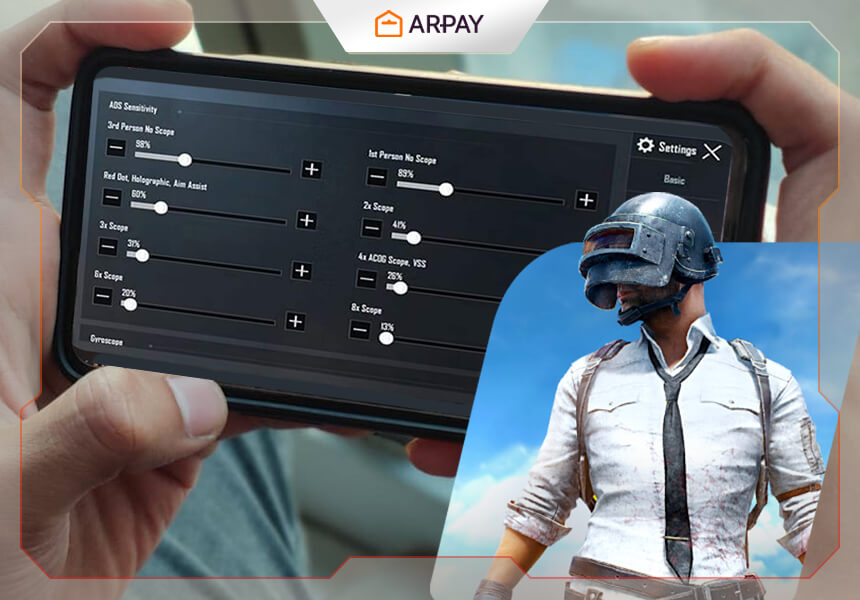
Control Optimization
- Simplify HUD layout
- Reduce sensitivity instability
Network Optimization
- Use stable Wi-Fi or mobile data
- Avoid background downloads
Free Fire MAX Lag Reduction Settings
Graphics Setup
- Low graphics
- High frame rate if supported
- Disable extra effects
Performance Setup
- Reduce texture load
- Close background apps
Sensitivity Stability
- Adjust sensitivity for consistent aim control
How to Reduce Lag in PC Games
Lower Game Settings
Reduce system load:
- Lower resolution
- Disable shadows
- Reduce texture quality
Update Drivers
Graphics drivers must be updated for performance.
Close Background Programs
Stop software that uses CPU or RAM.
Use SSD Storage
SSD reduces loading time compared to HDD.
Adjust Power Settings
Set system to performance mode.
Network Lag Reduction
Stable Connection
Use stable internet connection for online games.
Wired Connection
Ethernet connection reduces delay.
Server Selection
Choose nearest server region.
Avoid Background Usage
Stop downloads and streaming during gameplay.
System Optimization for Gaming
RAM Management
Close unnecessary applications.
CPU Usage Control
Avoid running heavy software during gameplay.
GPU Optimization
Update graphics settings for performance balance.
Game Settings Optimization
Resolution Control
Lower resolution reduces system load.
Frame Rate Control
Stable frame rate reduces lag spikes.
Effect Settings
Turn off unnecessary visual effects.
Device Optimization for Gaming
Storage Cleanup
Free storage space improves loading speed.
Battery Optimization
Disable power saving mode during gaming.
Heat Control
Overheating can cause performance drop.
Internet Optimization for Online Games
Wi-Fi Stability
Use stable router connection.
Mobile Data Setup
Use strong signal area.
Ping Reduction
Lower ping improves response time.
Common Mistakes That Cause Lag
High Graphics on Low Device
Overloads system.
Running Multiple Apps
Consumes memory and CPU.
Ignoring Updates
Old drivers reduce performance.
Poor Internet Connection
Causes delay in online games.
Game-Specific Optimization
Shooting Games
Focus on stable FPS and low input delay.
Battle Royale Games
Focus on network stability and rendering speed.
Racing Games
Focus on frame rate consistency.
Training Mode Usage
Players can test performance in:
- Practice mode
- Offline mode
- Benchmark tools
This helps identify lag source.
Advanced Lag Reduction Methods
Game Booster Tools
Some devices include optimization tools.
Manual System Settings
Adjust performance mode in settings.
Background Process Limiting
Restrict background activity.
Future of Game Optimization
Game developers are improving performance using:
- Engine optimization
- Cloud gaming systems
- Adaptive graphics systems
Conclusion
Lag in games comes from system performance, internet connection, and settings configuration. Reducing lag requires adjusting graphics, closing background apps, improving network stability, and optimizing device settings. Proper setup improves gameplay control and response time in both mobile and PC games.





Leave a Reply