

Introduction
Settings in Free Fire MAX affect movement, aiming, and control response. Players adjust these settings to match device performance and gameplay style. Competitive players focus on sensitivity, control layout, and performance settings to improve match control.
This guide explains Free Fire pro settings, how they work, and how to adjust them.
What Are Pro Settings in Free Fire
Pro settings refer to customized game configurations used by experienced players. These settings include:
- Sensitivity setup
- Control layout
- Graphics settings
- HUD placement
- Gyroscope settings
Free Fire MAX Settings System
Free Fire MAX provides multiple settings categories to control gameplay behavior.
Main categories:
- Basic settings
- Controls
- Sensitivity
- Display
- Audio
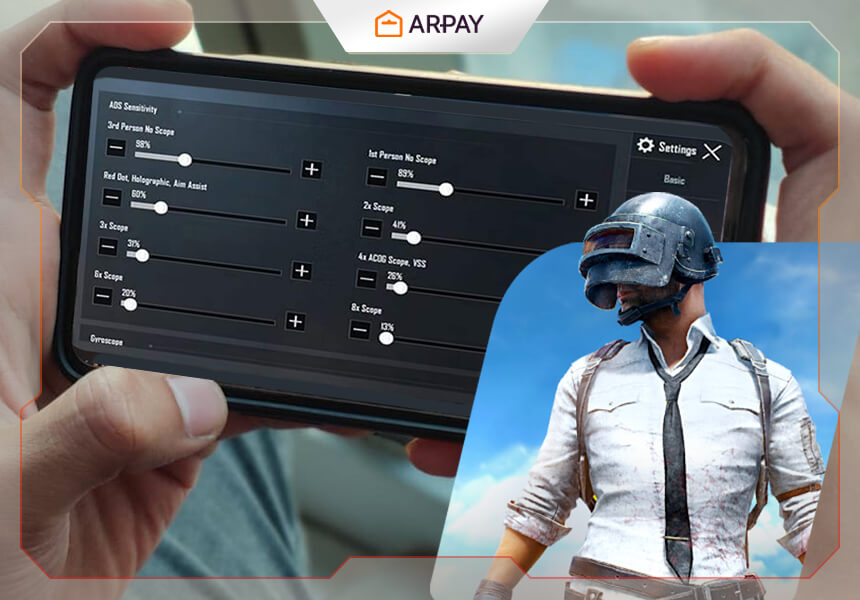
Sensitivity Settings
General Sensitivity
Controls overall camera movement speed.
Red Dot Sensitivity
Controls aim movement when using red dot sight.
2x and 4x Scope Sensitivity
Controls mid-range aiming.
Sniper Scope Sensitivity
Controls long-range aiming stability.
Free Look Sensitivity
Controls camera movement without changing direction.
Control Settings
Button Layout
Players adjust button position for:
- Fire button
- Movement joystick
- Scope button
- Reload button
Fire Button Size
Button size affects reaction speed during combat.
Quick Weapon Switch
Allows fast switching between weapons.
Gyroscope Settings
What Gyroscope Does
Gyroscope uses device movement for aim control.
Types
- Always on
- Scope only
- Off
Use in Gameplay
- Recoil control
- Aim correction
- Close combat movement
HUD Layout Settings
HUD Placement
HUD includes all control buttons on screen.
Optimization
Players place buttons based on finger reach.
Multi-Finger Layout
- Two finger
- Three finger
- Four finger
Graphics Settings
Graphics Quality
Controls visual detail and performance balance.
Frame Rate
Controls smoothness of gameplay.
Shadow Settings
Affects visibility and performance.
Free Fire MAX Performance Settings
Low-End Devices
- Low graphics
- High frame rate if supported
- Shadows off
Mid Devices
- Balanced graphics
- Medium or high frame rate
High Devices
- High graphics
- Maximum frame rate
Control Layout Types
Two-Finger Setup
Basic control method for new players.
Three-Finger Setup
Allows movement and shooting together.
Four-Finger Setup
Used for faster reaction control.
Aim Settings
Aim Precision
Controls how aim follows targets.
Auto Aim
Assists with targeting enemies.
Scope Drag
Controls movement while aiming.
Sensitivity Optimization Process
Step 1: Default Setup
Start with default values.
Step 2: Camera Adjustment
Adjust movement speed.
Step 3: Shooting Test
Test recoil control in training mode.
Step 4: Gyroscope Test
Adjust device movement control.
Step 5: Final Adjustment
Stabilize settings for matches.
Training Mode Practice
Players use training mode to:
- Test weapons
- Adjust sensitivity
- Practice movement
- Control recoil
Weapon Impact on Settings
Assault Rifles
Need balanced sensitivity.
SMG Weapons
Need fast movement settings.
Sniper Weapons
Need stable sensitivity.
Shotguns
Need close-range control setup.
Common Setting Mistakes
Using Default Settings
Default settings do not match all players.
High Sensitivity Without Control
Reduces accuracy in combat.
Ignoring Gyroscope
Reduces recoil control ability.
Not Testing Settings
Leads to unstable gameplay.
Pro Player Setting Style
Stability Focus
Pro players focus on stable aim.
Recoil Control
Gyroscope is often used.
Fast Movement
Control layout supports quick actions.
Update Impact on Settings
Game updates may change:
- Weapon recoil
- Movement speed
- Sensitivity behavior
Players often re-adjust settings after updates.
Device-Based Settings
Low-End Devices
Lower graphics and stable sensitivity.
Mid Devices
Balanced performance settings.
High-End Devices
High graphics with smooth frame rate.
Competitive Play Settings
Ranked Matches
Stable sensitivity and control layout.
Tournament Matches
Precise aim and recoil control.
Squad Matches
Communication-based control setup.
Conclusion
Free Fire MAX pro settings control movement, aiming, and performance. Sensitivity, control layout, and gyroscope settings affect gameplay stability. Players should test and adjust settings in training mode to match their device and play style for better control in matches.




Leave a Reply